
Subject
Upgrading from Citrix WinFrame v.1.7 to Citrix MetaFrame v.1.8
Purpose
To provide information about the software upgrade
Affected Employees
Payroll users who connect to the PaySR applications through Citrix
Effective Date
July 3, 2000
Background Information
Citrix is the software used to manage the electronic connections between the end users and the payroll system applications. Most Citrix activity is done "behind the scenes". The visible part of the Citrix connection is the initial login screen where users enter their userid and password to connect to the payroll system group.
Reason for the Upgrade
This is one part of OSCs plan to upgrade the OSC payroll applications to a newer release of the PeopleSoft software.
OSC Actions
OSC will install the new Citrix application on its servers. The initial login screen will display the logo for the MetaFrame Citrix software.
Agency Actions for Users
No agency actions are required. This upgrade does not require any workstation modifications.
Logging Off PaySR
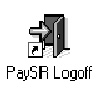
Remember to double click the PaySR logoff icon to close the application. This ensures that the Citrix connection and all associated programs close completely. Avoid using the close button (X) in the right corner of the PaySR title bar to close the application.
Questions
Contact the OSC Help Desk at (518) 486-6745 to report any problems with your Citrix connection. Contact Dan Crowe at (518)473-5062 if you have questions about printing Reveal reports from Citrix connections.